
Unpacker V2
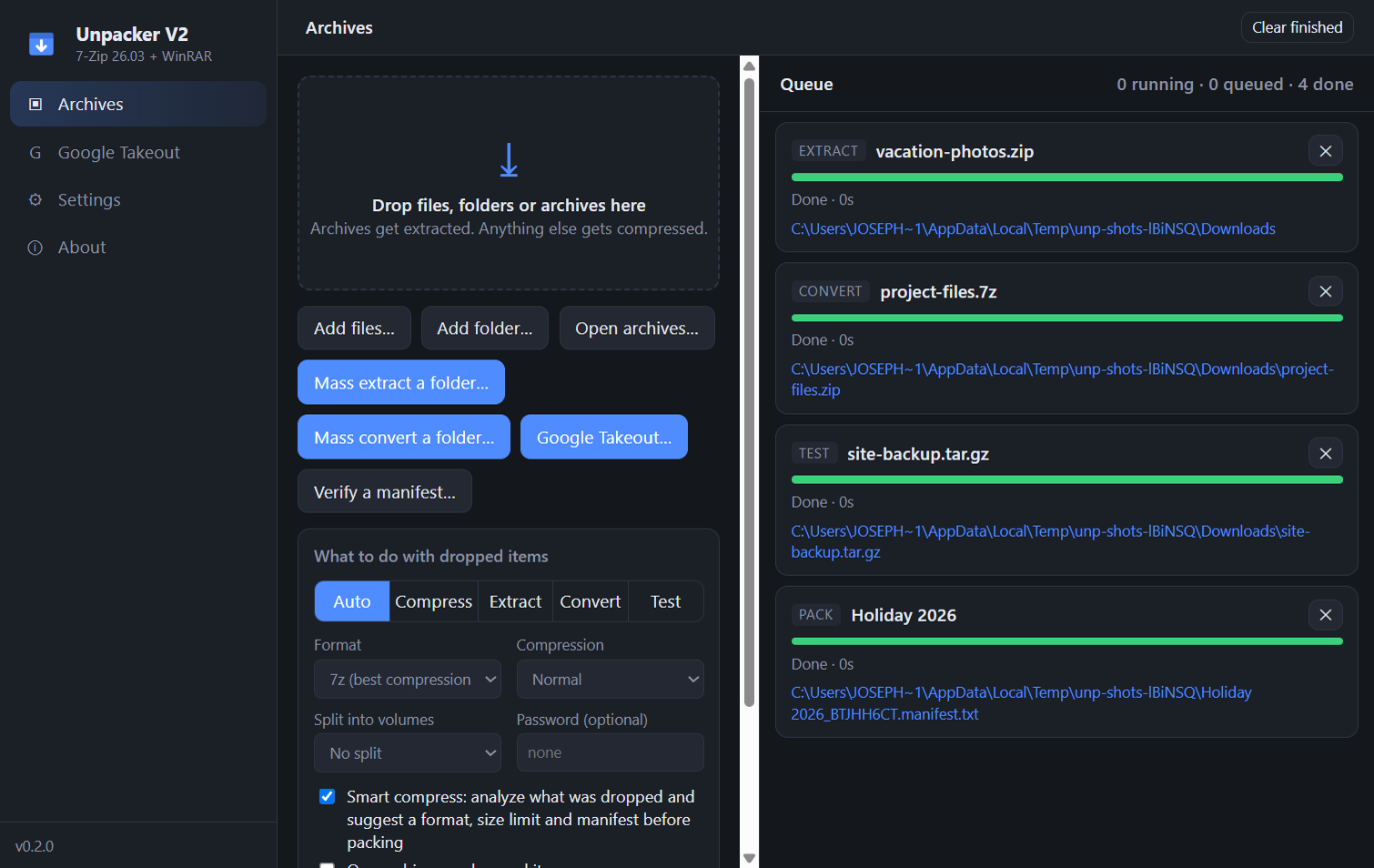
A drag-and-drop Windows archiver on the 7-Zip engine. Extract anything, compress with a suggestion that fits the files, merge Google Takeout exports, and build size-limited archival sets you can verify years later.
What it does
Extracts everything 7-Zip reads
ZIP, 7z, RAR/RAR5, tar and tar.gz/xz/bz2/zst, cab, iso, wim, split sets. Encrypted archives ask for a password instead of failing.
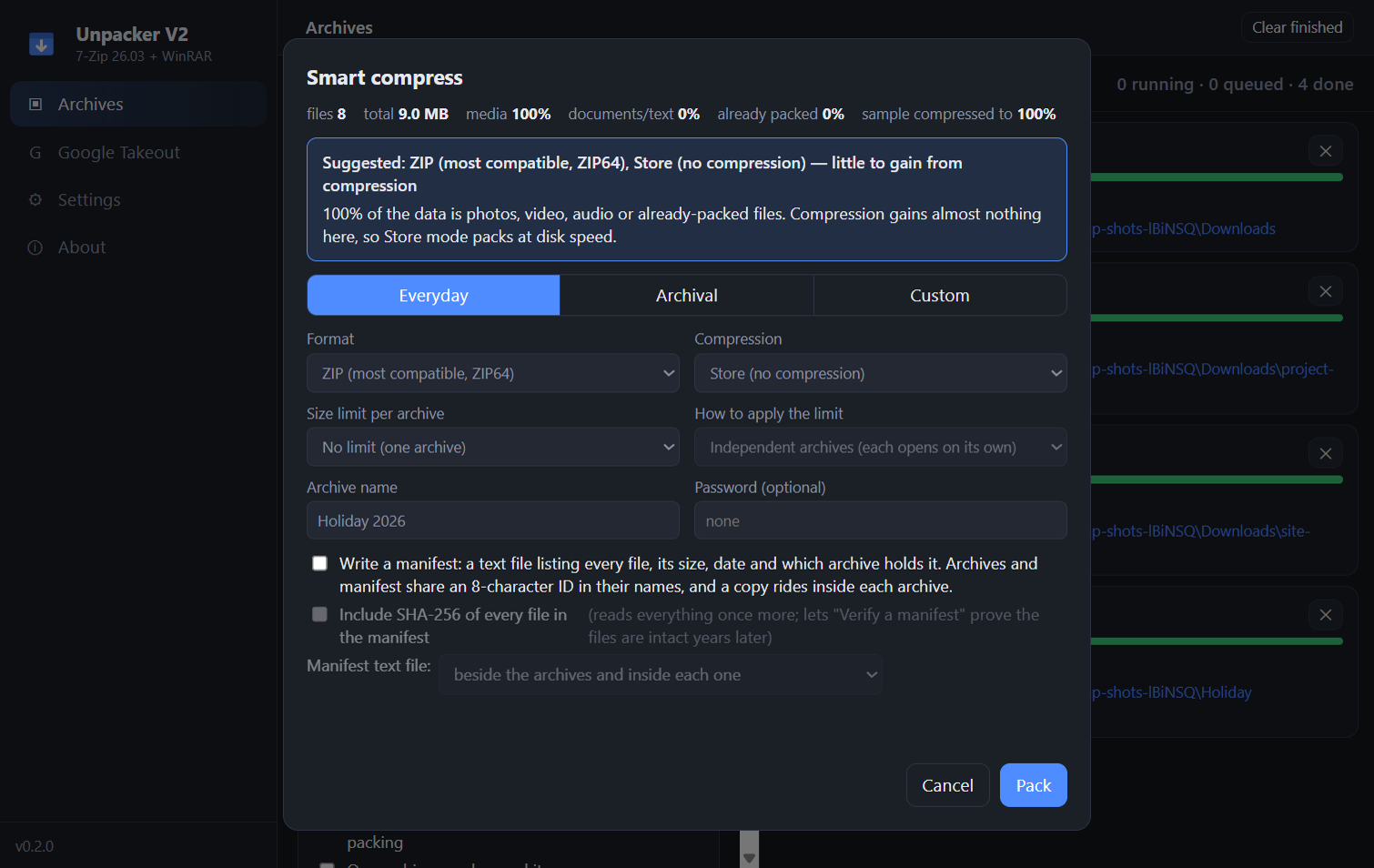
Smart compress
Analyzes what you dropped and suggests Store for media, solid 7z for documents, capped blocks for mixed sets. Everyday, Archival and Custom presets.
Size-limited sets with manifests
1–50 GB per archive as independent archives or volumes. An 8-character ID links the set and a manifest with optional SHA-256; verify it later.
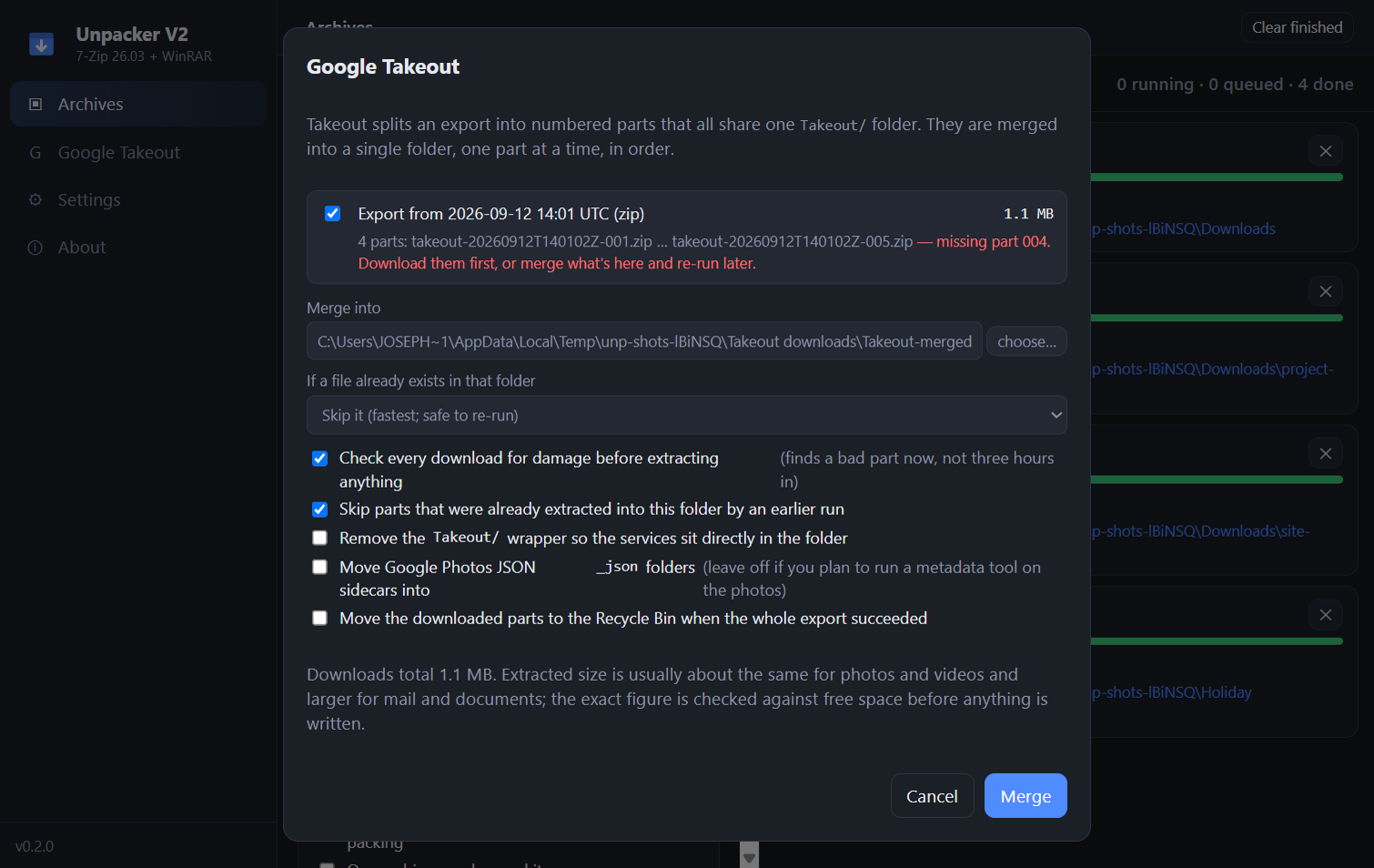
Google Takeout
Groups the numbered parts, flags missing ones, checks every download first, then merges them one at a time. Interrupted runs resume.
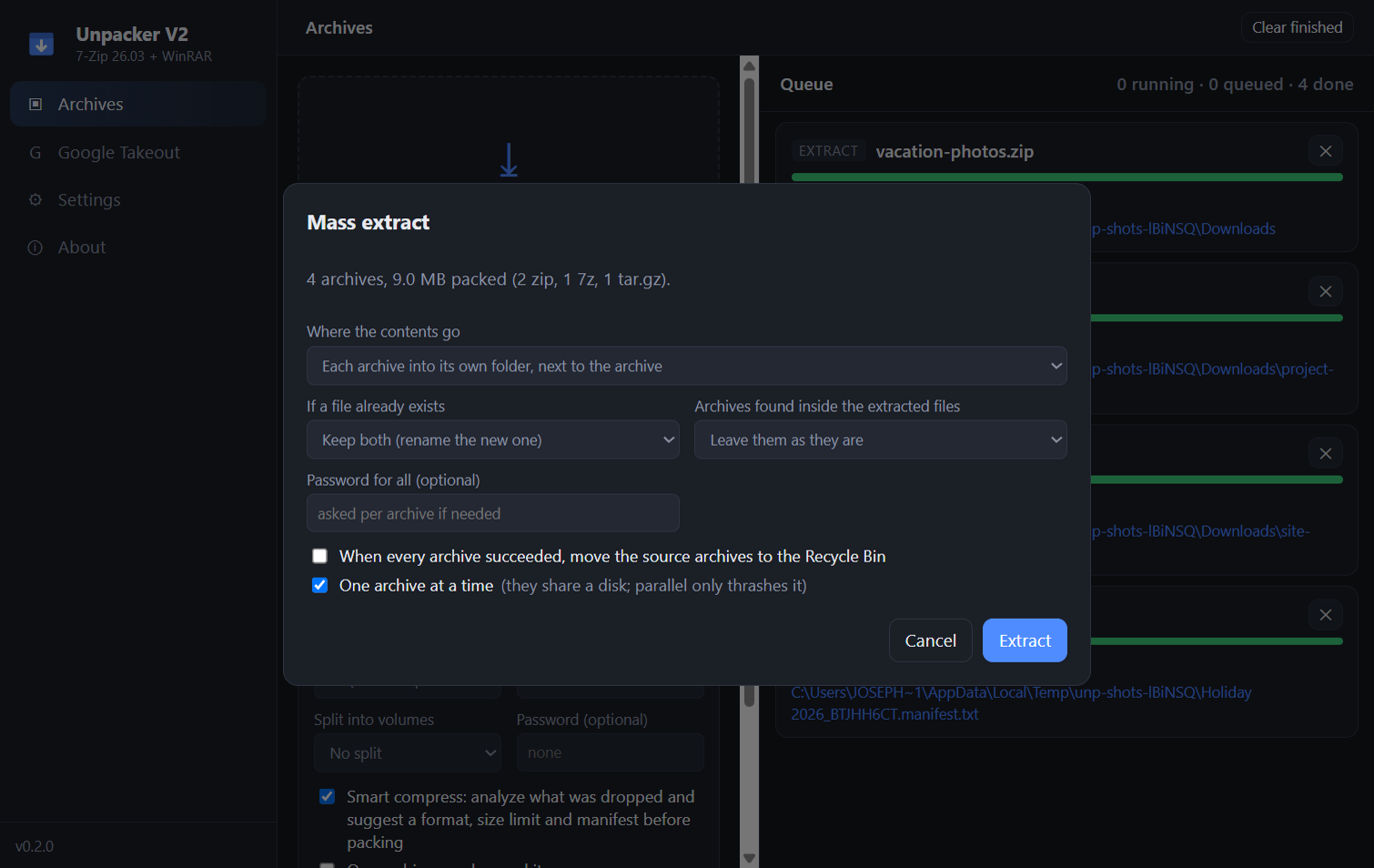
Mass extract and convert
Point it at a folder of mixed archives. Each into its own folder or all merged; nested archives too; sources binned only when everything succeeded.
Built for jobs you walk away from
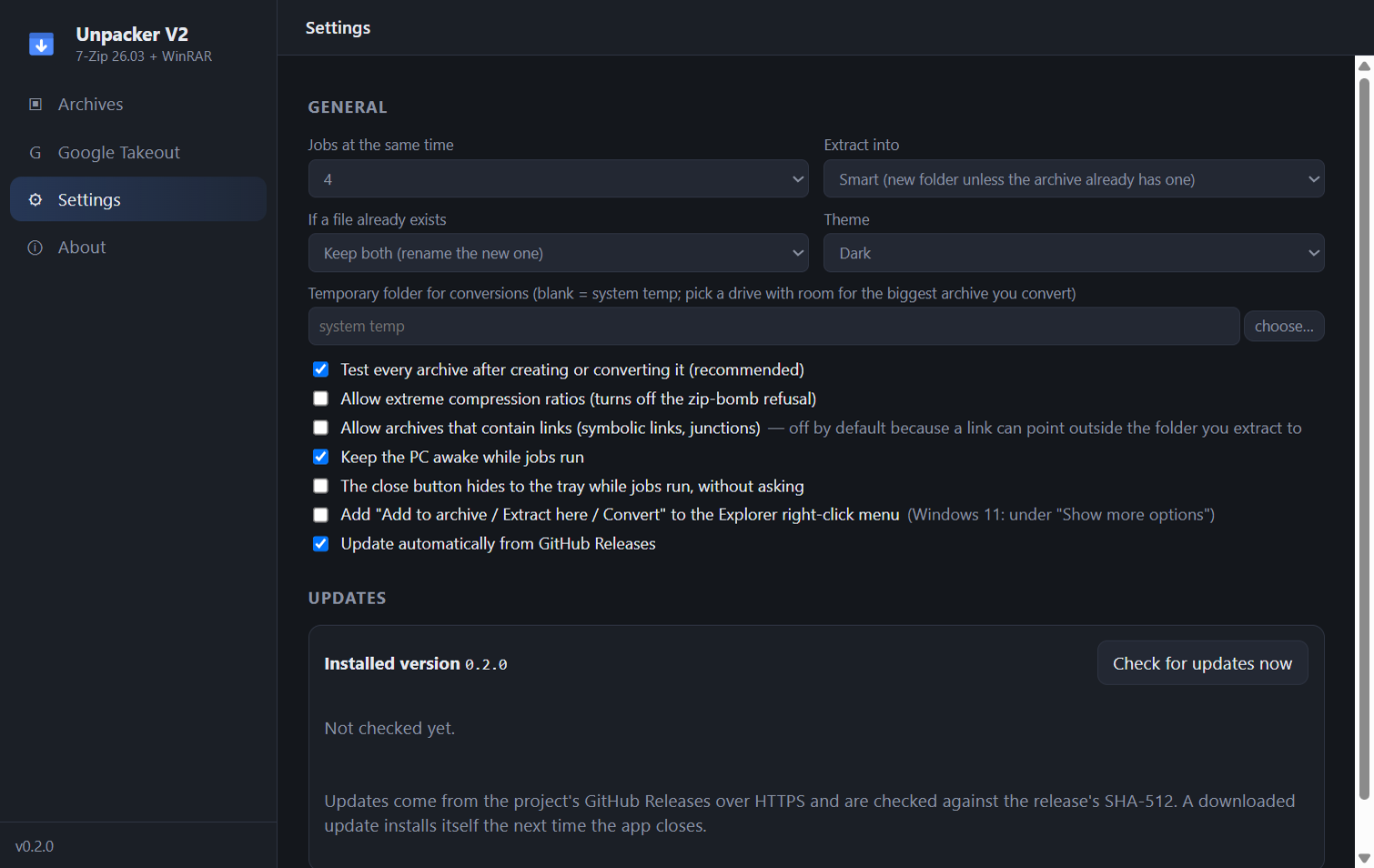
Keeps the PC awake, asks before closing, removes half-written archives on cancel, refuses archives that could write outside the target.
Screens
Install
- Windows 10 or 11, 64-bit. No 7-Zip install needed; the engine ships inside.
- Per-user one-click installer, no administrator prompt. Updates itself from GitHub Releases (can be turned off).
- Unsigned build: SmartScreen warns the first time. "More info" → "Run anyway".
- RAR creation needs an installed WinRAR; extraction does not.
From source
git clone https://github.com/AxialForge/unpacker-v2.git
cd unpacker-v2
npm install
npm run dev